Why I got certified in the Kyle Balmer AI Workshop Kit
TL;DR: In October 2026 I completed Kyle Balmer’s AI Workshop Kit certification. In the weeks after, I ran two workshops built on the kit: 27 women online on 29 October, and 3 women in person on 5 November. This post is an honest look at what the AI Workshop Kit is, who it’s for, and why I’d recommend it to anyone who has been learning AI and is ready to teach it.
Quick disclosure: I now earn a commission if you sign up to the AI Workshop Kit and mention my name to Kyle. It doesn’t change what you pay. Everything in this review comes from actually running the kit twice. And I’ll continue to use the AI Workshop Kit as my go-to resource for running future workshops.
I’m a big advocate for professional development. Especially for those of us in jobs that AI will replace, like administrative work.
For most of the last decade I worked as a VA and then an OBM for coaches and founders. The writing was on the wall long before I called it. If I didn’t learn AI properly, I’d be out of a job. So I went all in.
I’d been learning AI inside Dr Nici Sweaney’s AI for Impact Hub (more on that at the bottom). That gave me the ethics and the foundations. What I wanted next was the confidence to teach AI to other women in business. Not just use it myself.
That is where Kyle Balmer came in.
Who is Kyle Balmer?
Kyle Balmer runs AI with Kyle. He is one of the clearest voices in the AI space, on LinkedIn, YouTube and through his newsletters. He breaks down what is new in a way that does not make your brain hurt, which matters, because the AI space moves fast and most explanations assume you already know too much.
He has been one of my go-to people for the latest AI updates for about a year now. When he released the AI Workshop Kit, I didn’t need to think twice about it.
What is the AI Workshop Kit?
The AI Workshop Kit is a licensed teaching pack for people who want to run their own AI workshops. Inside, you get:
- A full slide deck, fully editable so you can rebrand it for your audience
- The teaching frameworks, including the prompting structure Kyle teaches
- RISEN (Role, Instruction, Specifics, Examples, Narrative)
- Participant workbooks and worksheets
- Up-to-date AI knowledge that Kyle keeps current as the models shift
- A private community of other facilitators teaching the kit
- Accountability buddies and personalised check-ins with Kyle’s team
The whole thing is designed so you can go from “I’d love to teach AI one day” to standing at the front of a room within weeks. You don’t build the content from scratch. You bring the delivery, your experience and your audience.
Kyle’s product page is here: aiwithkyle.com/ai-workshop-kit.
Why did I sign up for the AI Workshop Kit?
Two reasons.
First, I didn’t want to build the whole thing from scratch. I was already building an AI brain for my own business, writing SOPs, testing agents and taking on client work. Spending another two months designing a workshop from zero was going to push teaching back another quarter.
Second, I wanted to stand on something tested. Teaching under Kyle’s framework, with his certification, meant I could walk into a room and point to exactly what my teaching was built on.
What’s inside Kyle’s AI Workshop Kit?
Here is what the kit actually gave me, as a facilitator:
| What’s included | Why it matters |
|---|---|
| Fully editable slides | I could brand them for my audience without starting from a blank file |
| Up-to-date AI content | Kyle keeps the materials current as the models change |
| The RISEN prompting framework | A simple, repeatable structure students actually remember |
| Participant workbooks | People leave with something to work from, not just notes |
| Private facilitator community | Other people running the same kit, sharing what worked |
| Accountability check-ins | A real person (thank you Harminder) kept me moving from thinking about it to doing it |
The slides and the frameworks got me ready to teach. The community and the check-ins got me to actually book the first one.
What workshops have I run with the AI Workshop Kit?
Within weeks of signing up, I had secured my first workshop.
On 29 October 2026, 27 women turned up to my first online workshop. We spent 90 minutes building their own AI brain, which is the foundation layer every other AI use case runs on.
On 5 November 2026, I ran my second workshop in person. Three women around a table in Wanneroo, Western Australia, for three hours. A completely different energy, same foundations.
Both workshops were built on Kyle’s kit. I added my own stories, examples from a decade in the back end of other people’s businesses, and my framing around the AI brain. The structure was his.
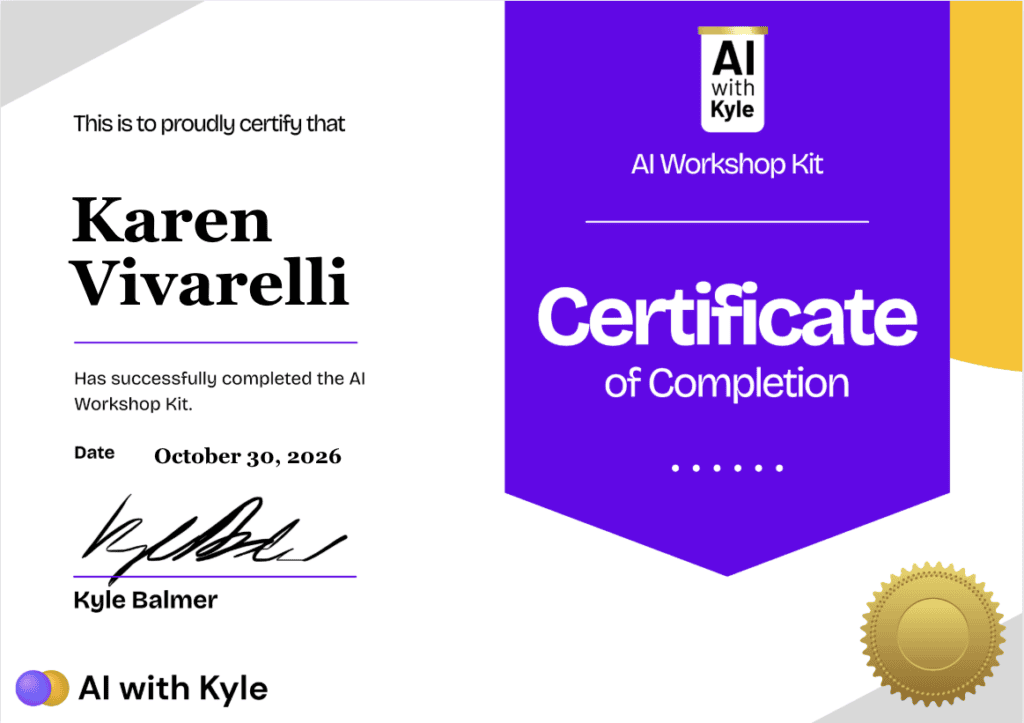
This week my certificate came through.
Who is the AI Workshop Kit for?
The AI Workshop Kit is for you if:
- You have already been learning AI, using it in your own work, and you know the basics are in your bones
- You want to teach AI to a specific audience, like women in business, your industry or your region
- You’d rather start delivering workshops in weeks than build a curriculum in months
- You want to be part of a community of facilitators, not the lone wolf in your city
It isn’t for you if:
- You are brand new to AI and haven’t used it in your own work yet. Learn first, teach later
- You want a done-for-you workshop you don’t need to adapt. Every facilitator brings their own layer
- You aren’t ready to run one in the next quarter. The kit works best when you have a real date to aim at
Is the Kyle Balmer AI Workshop Kit worth it?
For me, yes. Kyle, this kit changed what I do for a living. Thank you.
I now have two workshops under my belt, a growing list of women asking about the next one, and a clear path for the people who want to go deeper after the three hours are up.
If you have been learning AI and you are ready to teach it, this is the one: aiwithkyle.com/ai-workshop-kit.
Want to come to a workshop instead of running one?
If you are on the other side of this, and you’d rather come to a workshop than run one, I’d love to chat.
I run AI workshops for groups and teams, in person or online, on a date that suits you.
Email me or send me a DM and we’ll set something up.
A note on how I learned AI: my own AI journey started inside Dr Nici Sweaney’s AI for Impact Hub. I’m now an AI Readiness Guide in Nici’s ecosystem. I earn a commission if you join the Hub through my link, and it doesn’t change what you pay. The Hub is where my ethical AI foundations came from and it is where I still learn. If you’d like to see what is inside, here is my affiliate link.